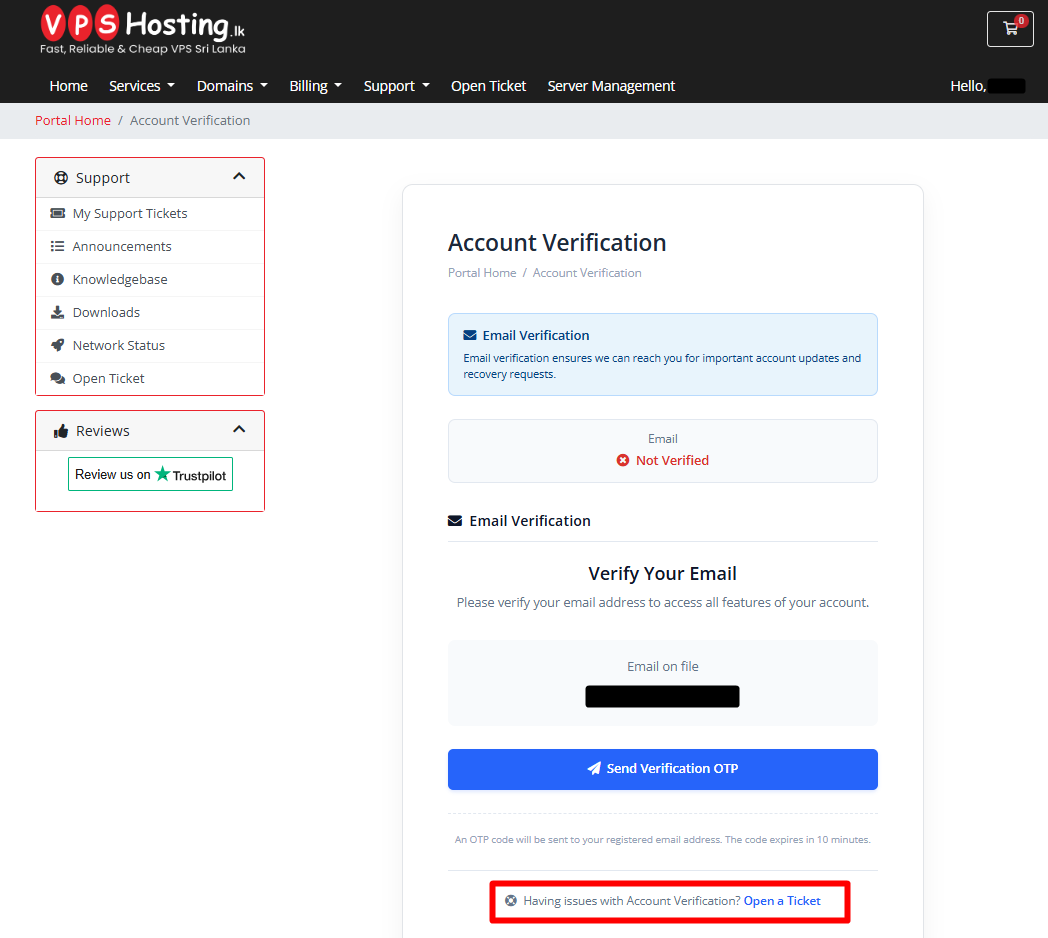
Account Verification
To enhance account security and ensure important notifications reach the correct recipient, we may request verification of your contact details.
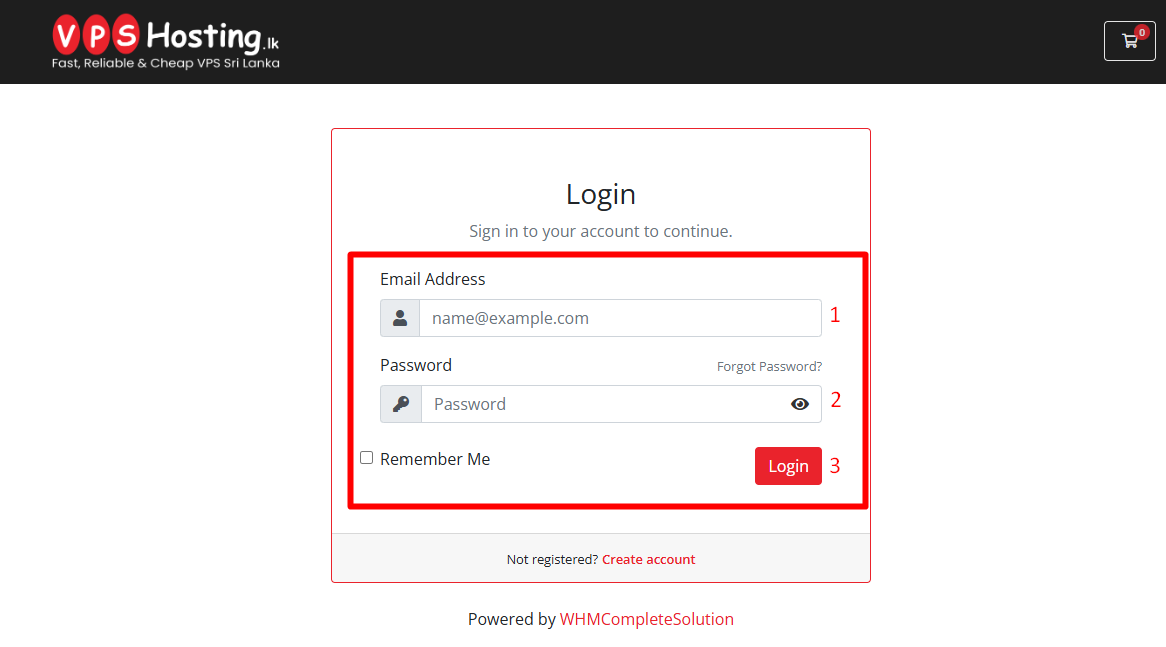
Step 1 - Login
- Log in to your Client Area.
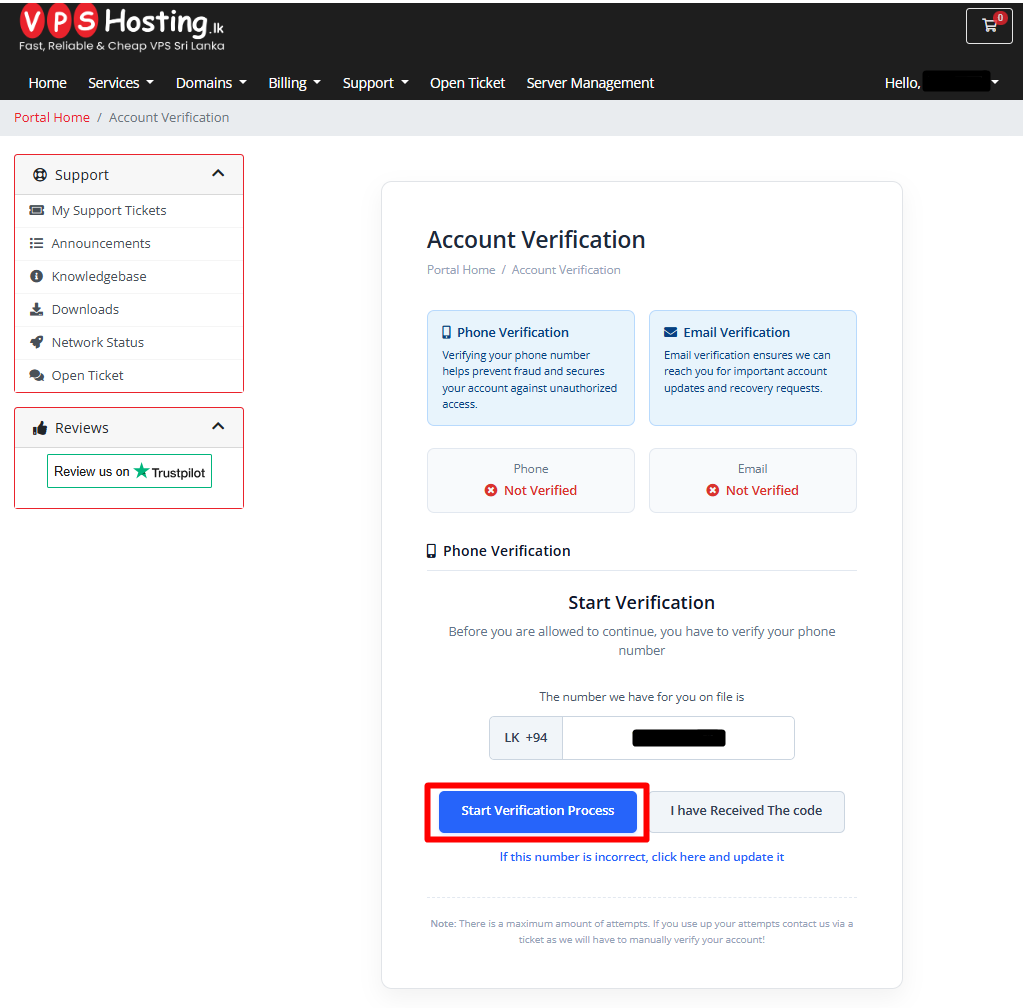
Step 2 - Mobile Number Verification
- Review your phone number. If it is correct, click the "Start Verification Process" button.
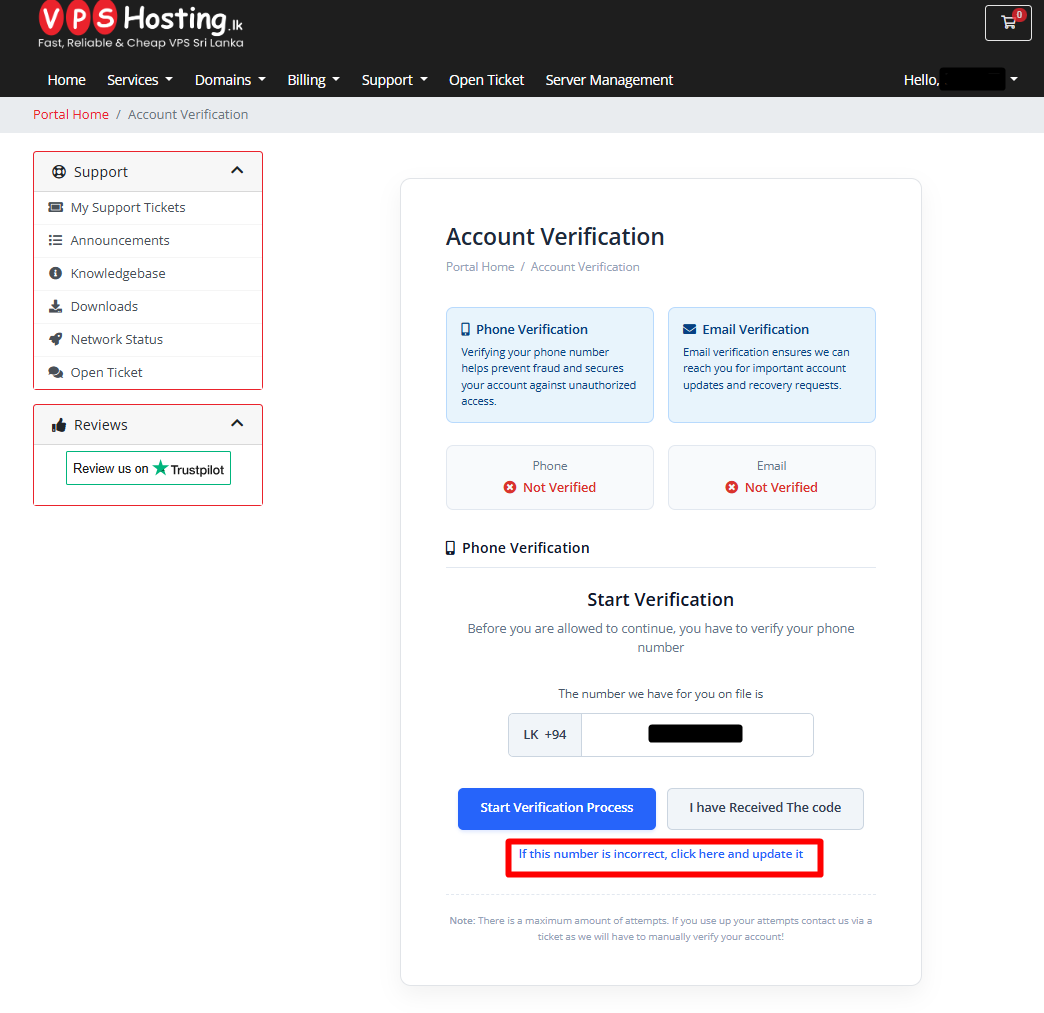
Note: If your number is incorrect, please use the option below and update your new phone number.
2. Enter the OTP (One-Time Password) sent to your phone, then click"Confirm Code".
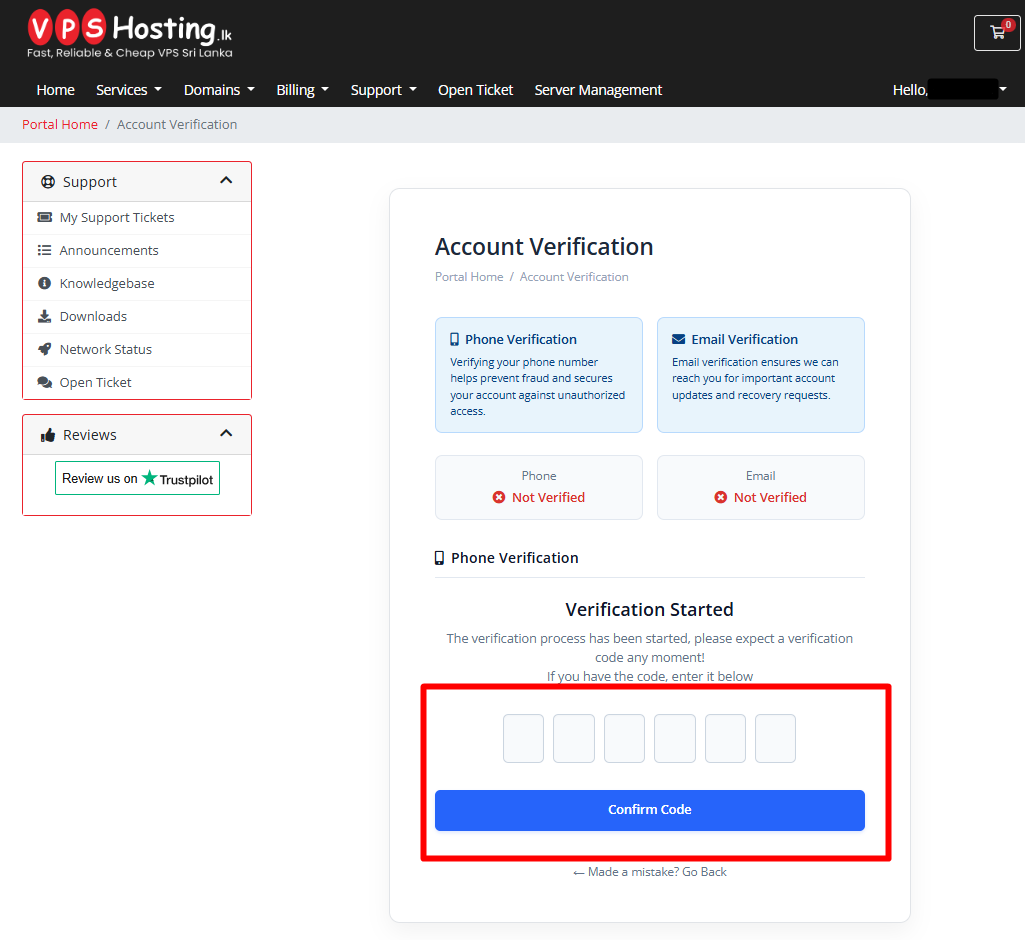
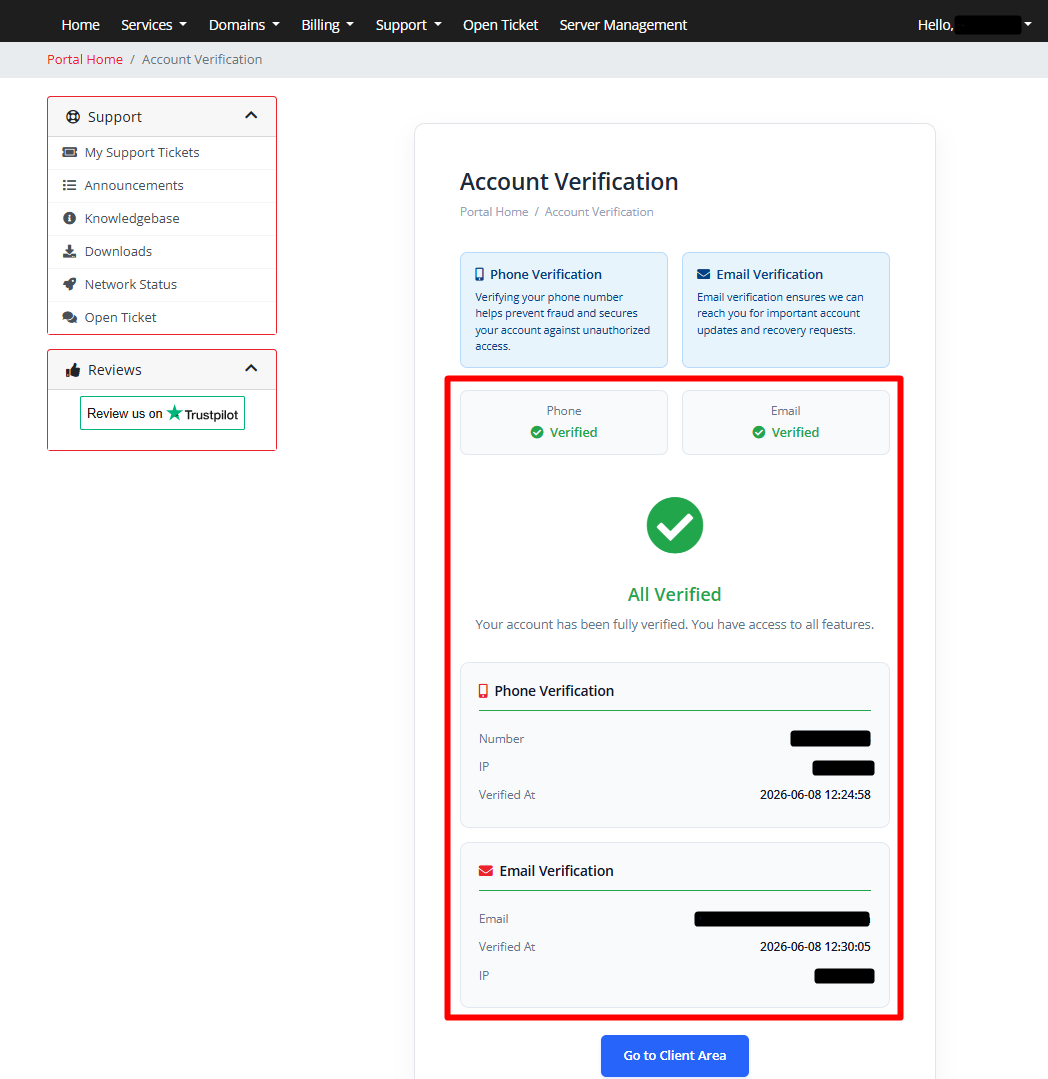
3. Once successfully verified, your phone number will display a green checkmark.
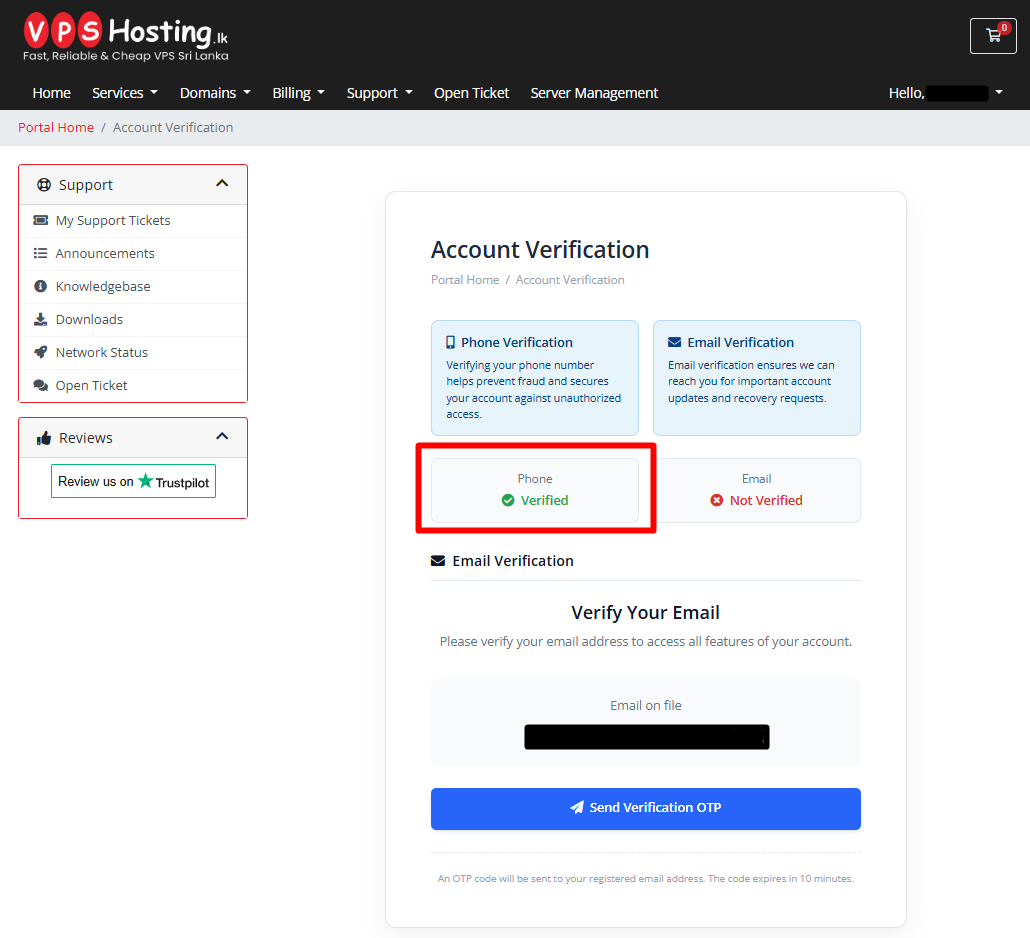
Step 3 - Email Verification
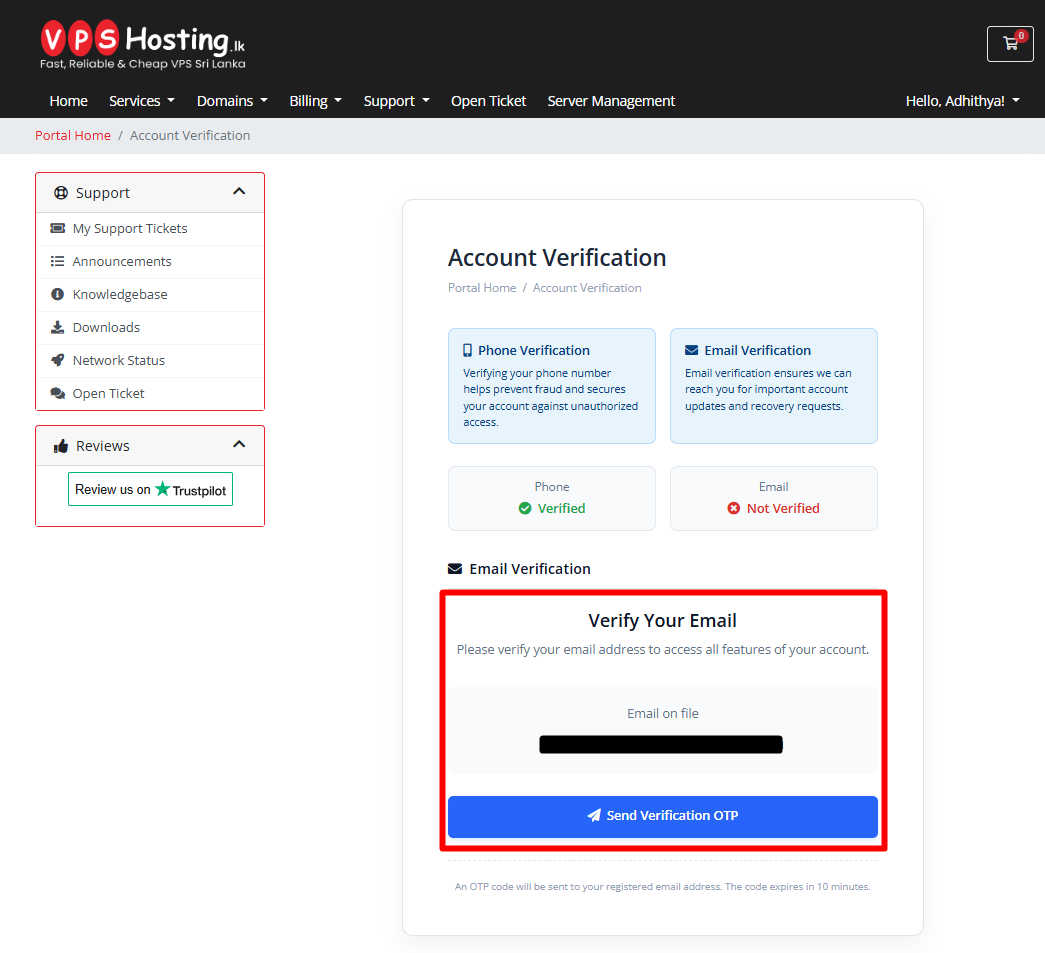
1. Locate your email address on the screen.
2. Click "Send Verification OTP" to request a verification code.
3. Enter the OTP received in your email and click "Verify Email" .
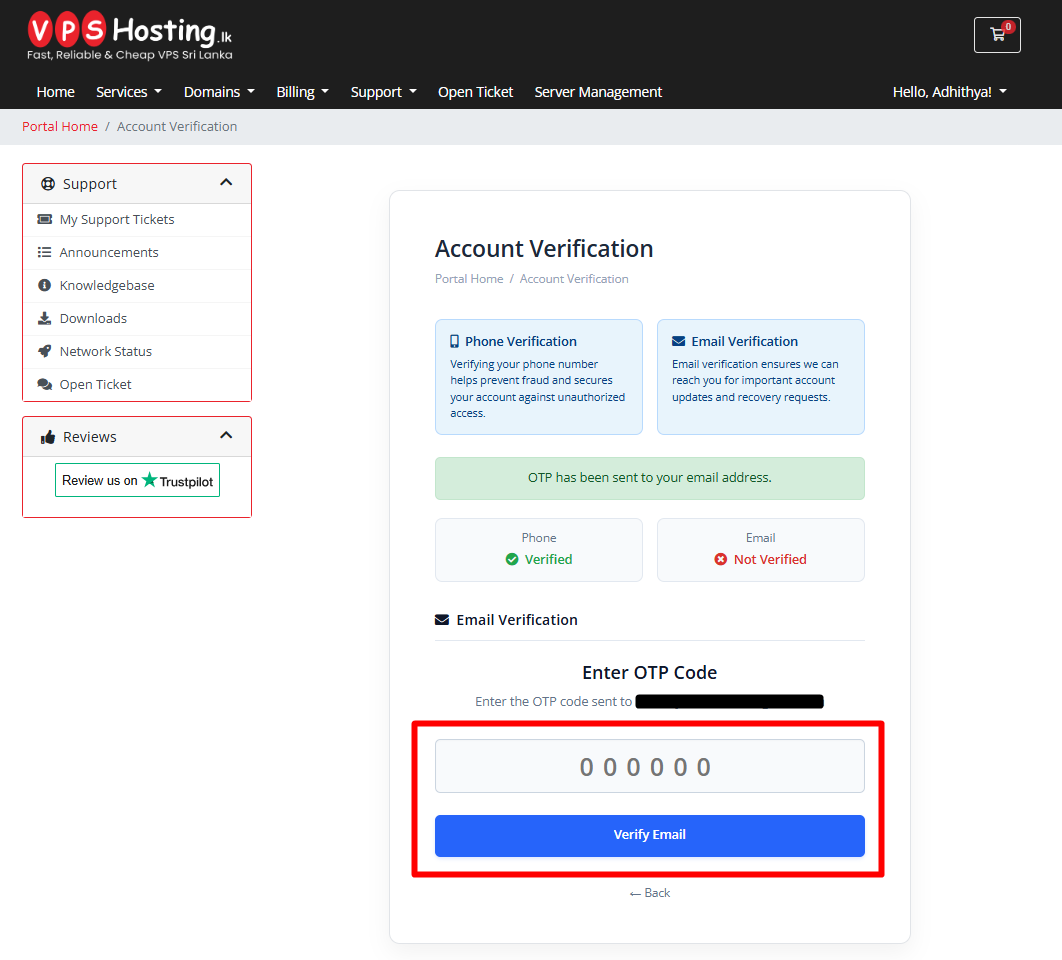
4. Once completed, your updated verification status will be displayed.
Note
If you have any questions regarding this verification process, please contact us.
- Hotline: 0117 10 9693
- WhatsApp: 0774 233 244
- Open a Support Ticket