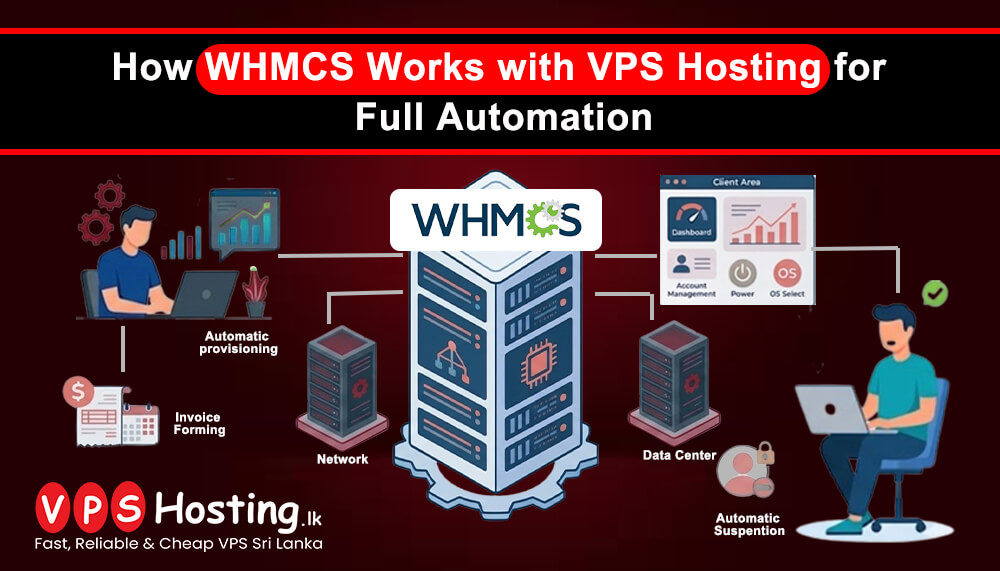
How WHMCS Works with VPS Hosting for Full Automation
Managing VPS hosting services manually can take a lot of time. Tasks like creating accounts, sending invoices, suspending unpaid services, and helping customers can become difficult as your business grows. This is why many hosting companies use WHMCS with VPS hosting for full automation.
WHMCS helps hosting businesses automate many daily tasks. When combined with VPS hosting, it creates a complete system for selling and managing hosting services easily.
What is WHMCS?
WHMCS is a popular web hosting automation and billing software. It is mainly used by web hosting companies, VPS providers, domain registrars, and server management businesses.
WHMCS helps automate:
- Customer account creation
- Billing and invoicing
- Payment collection
- VPS provisioning
- Service suspension
- Domain management
- Support ticket handling
- Client management
Instead of doing everything manually, WHMCS handles most tasks automatically.
What is VPS Hosting?
Virtual Private Server hosting is a type of hosting where a physical server is divided into multiple virtual servers. Each VPS works independently with its own operating system, resources, and settings.
VPS hosting is popular because it offers:
- Better performance
- More control
- Higher security
- Dedicated resources
- Scalability
Many businesses use VPS hosting for websites, applications, eCommerce stores, and business systems.
How WHMCS Works with VPS Hosting
WHMCS connects directly with VPS virtualization platforms and control panels. This allows automatic management of VPS services without manual work.
Here is how the process usually works.
1. Customer Places an Order
A customer visits your hosting website and selects a VPS hosting plan.
They can choose:
- RAM
- CPU
- Storage
- Operating system
- Control panel
- Billing cycle
After checkout, WHMCS automatically receives the order.
2. Automatic Payment Processing
WHMCS supports many payment gateways.
Once the customer completes the payment:
- Invoice is marked as paid
- Order is approved automatically
- VPS setup process starts instantly
This helps customers get their servers quickly without waiting for manual approval.
3. Automatic VPS Creation
WHMCS connects with virtualization platforms such as:
- SolusVM
- Proxmox
- Virtualizor
- VMware
- OpenStack
Using API integration, WHMCS automatically creates the VPS account based on the selected package.
The system can automatically:
- Create the VPS
- Assign IP addresses
- Install operating systems
- Set passwords
- Configure resources
The customer receives login details automatically by email.
VPS Control Panel Integration
WHMCS also works with popular control panels like:
This allows customers to manage websites, emails, databases, and files easily from their VPS server. For example, if a customer orders a VPS with cPanel, WHMCS can automatically install and configure the control panel during setup.
Automatic Account Suspension
One of the biggest benefits of WHMCS automation is billing control.
If a customer does not pay on time:
- WHMCS sends reminder emails
- Suspends the VPS automatically
- Reactivates the service after payment
This reduces manual work and helps hosting providers manage unpaid invoices properly.
Client Area Management
WHMCS provides a customer portal where users can:
- View invoices
- Pay bills
- Open support tickets
- Reboot VPS servers
- View bandwidth usage
- Manage hosting services
- Upgrade plans
Everything can be managed from one dashboard.
Support Ticket Automation
WHMCS includes a built in support ticket system.
Customers can contact support directly from their account.
Hosting providers can:
- Track tickets
- Reply faster
- Organize departments
- Manage customer communication
This improves customer service and support management.
Benefits of Using WHMCS with VPS Hosting
Saves Time
Automation reduces manual tasks and helps businesses manage many customers easily.
Faster VPS Deployment
Customers receive their VPS instantly after payment.
Reduces Human Errors
Automatic setup reduces mistakes caused by manual server creation.
Better Customer Experience
Customers can manage everything from a single dashboard.
Easy Business Scaling
Hosting businesses can handle more customers without increasing staff heavily.
Better Billing Management
Invoices, payments, reminders, and suspensions work automatically.
Who Should Use WHMCS with VPS Hosting?
WHMCS is useful for:
- VPS hosting providers
- Web hosting companies
- Server management companies
- Cloud hosting providers
- Domain registration businesses
- IT service providers
Even small hosting startups can use WHMCS to automate operations professionally.
Important Features to Look For
When using WHMCS with VPS hosting, look for features such as:
- API integration
- Automatic provisioning
- Secure payment gateways
- Backup management
- Client area customization
- Multi currency support
- Fraud protection
- Server monitoring
These features help improve automation and customer management.
Security Considerations
Because WHMCS manages billing and customer data, security is very important.
You should:
- Use strong passwords
- Enable two factor authentication
- Keep WHMCS updated
- Use SSL certificates
- Perform regular backups
- Monitor server activity
Good security helps protect both your business and customers.
Final Thoughts
WHMCS and VPS hosting work together to create a fully automated hosting management system. From billing and payments to VPS provisioning and customer support, WHMCS helps hosting providers save time and manage services efficiently.
For growing hosting businesses, automation is very important. It improves customer experience, reduces manual work, and helps businesses scale faster. If you are planning to start a VPS hosting business or improve your hosting operations, using WHMCS with VPS hosting can be a smart long term solution.